For NON-UK based members paying online – useful hints#
1.Click on this link Acad_Main/Payments/Membership_payments and then on the orange DONATE button. Your will see this screen:
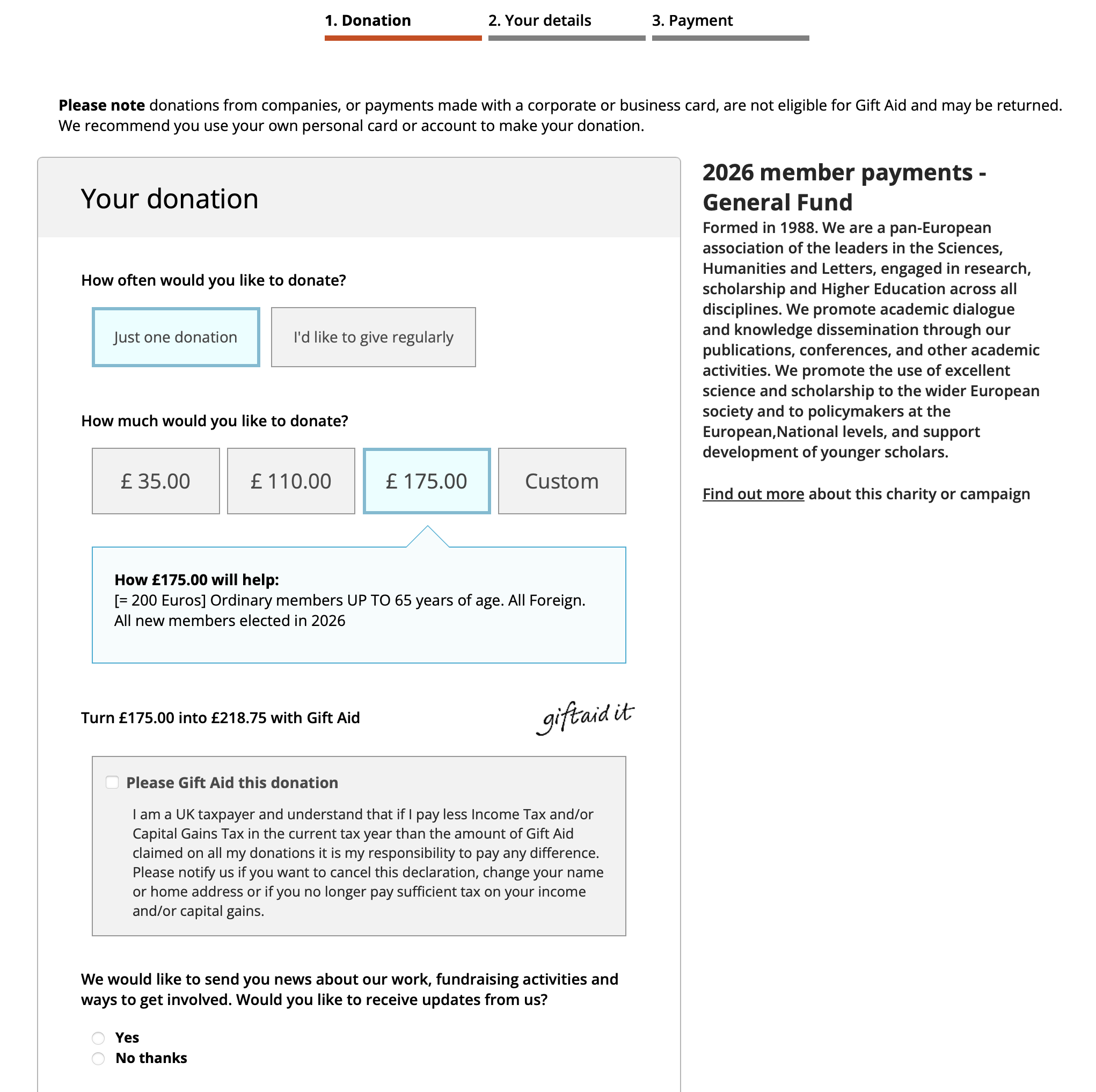
2. Choose the correct age–related payment, or put your own figure into the blank box. Click on the "No thanks" button. You get to this screen:
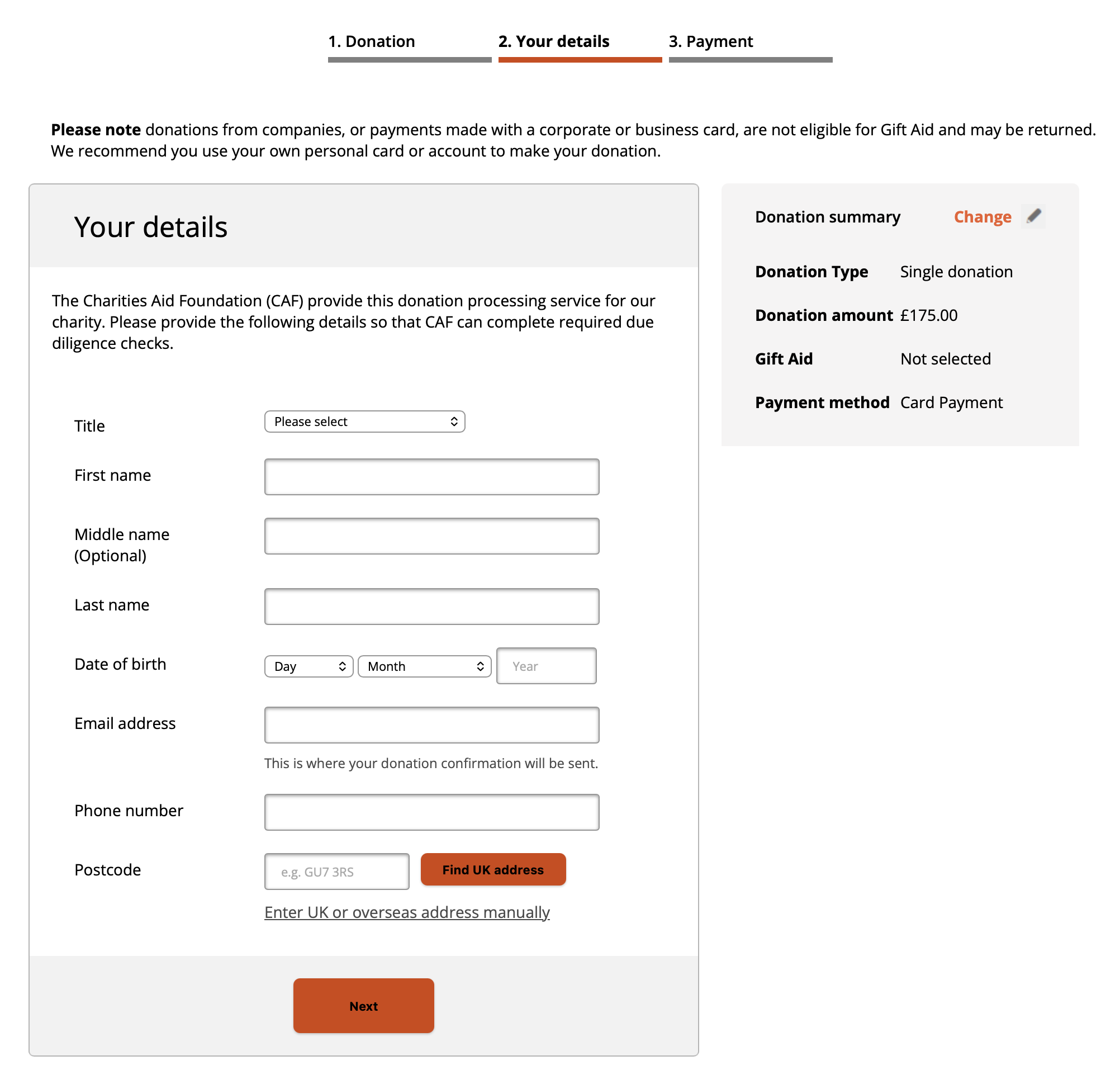
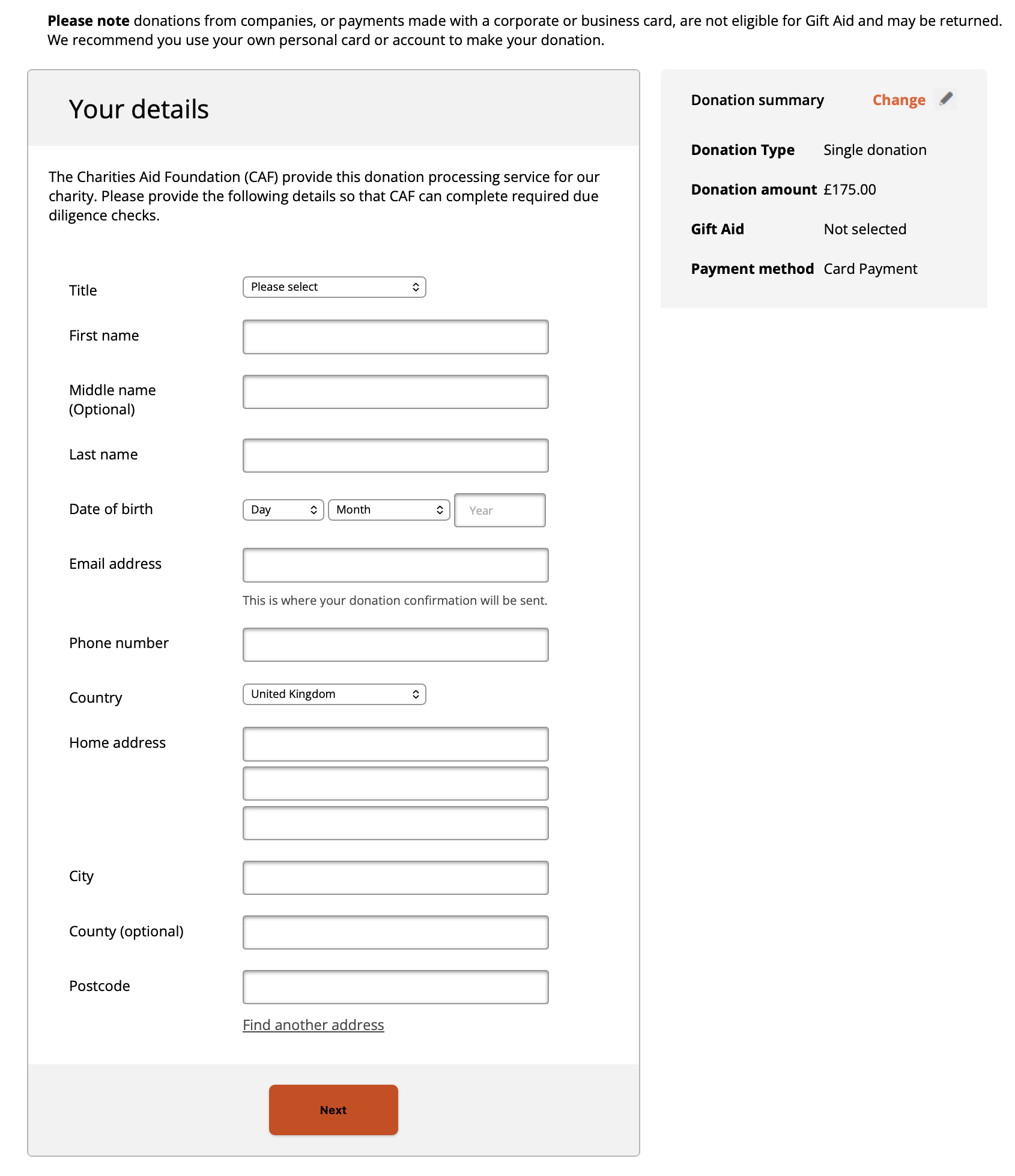
3. Do not enter any information. Please Click on the enter address manually link and you see this screen:
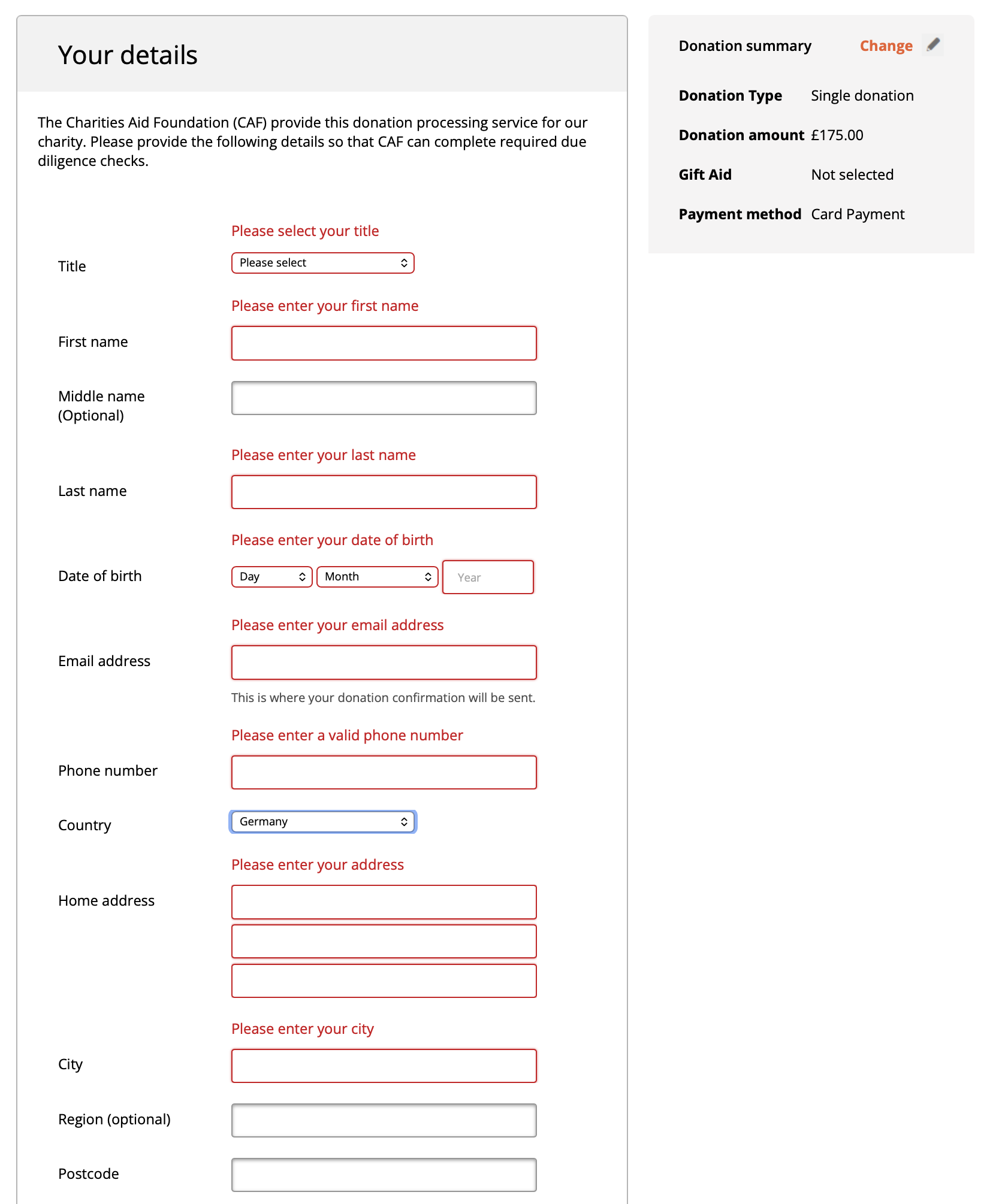
4. BEFORE YOU ENTER ANYTHING else, CLICK ON THE NEXT BUTTON. The page will refresh and the critical sections will be highlighted in red. FIRST select your country. The page will refresh again. You can then enter your information into the red bordered fields only. Ignore the rest. Enter the telephone number without the plus (+), no symbols or spaces. Example: 442078625784.
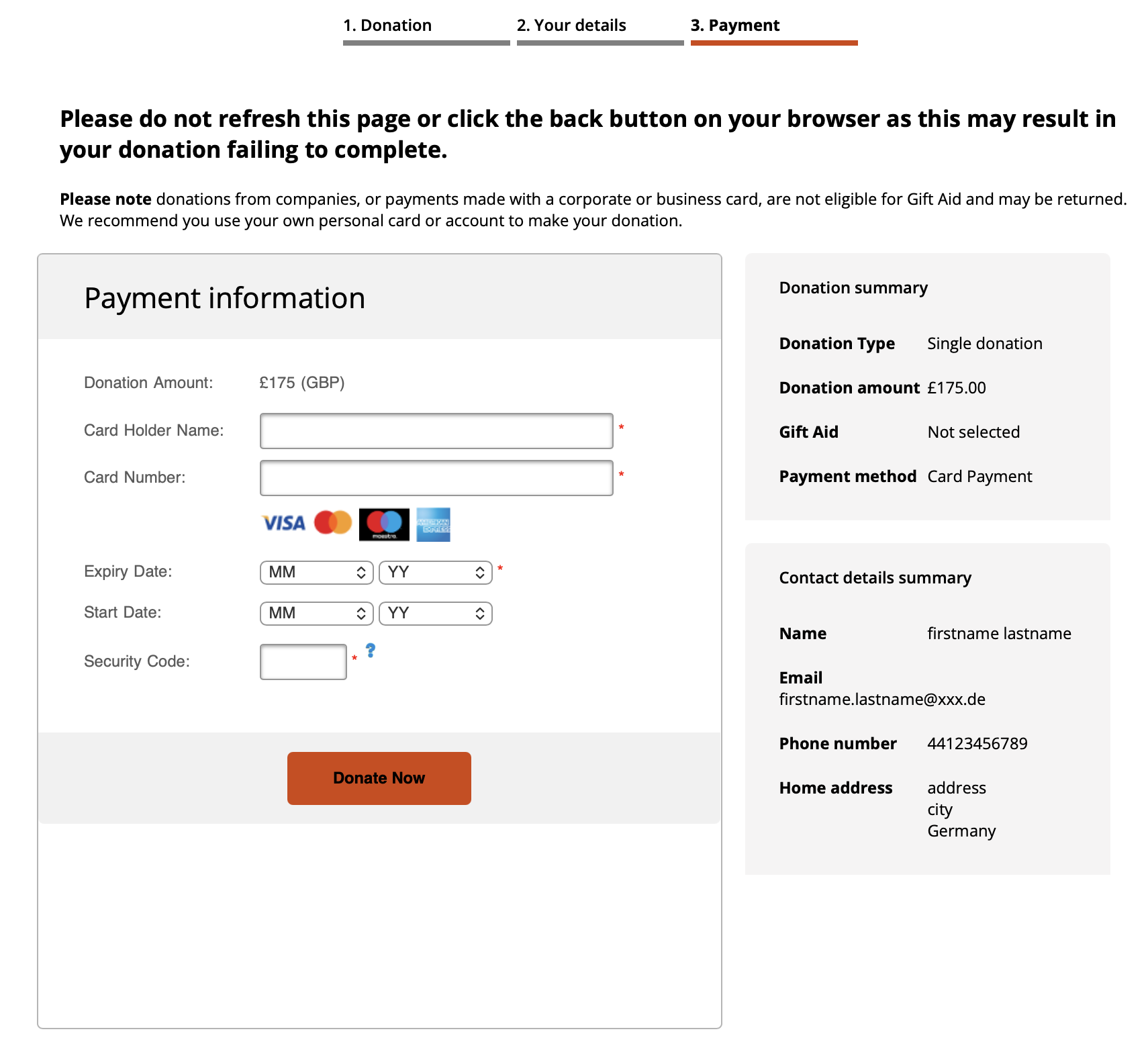
5. Then click next and complete the payment details.
6. You will get an instant online confirmation screen followed by an email confirmation of the payment with a payment reference number. Keep this email in case of any problems.
If you're still having problems, contact Teresa McGovern, at the London office of Academia Europaea at Admin@acadeuro.org
 .
.